


Goodbye Cringe: Google Finally Allows Gmail Users to Change Their Usernames

In a move that millions of users have awaited for over two decades, Google has officially shattered one of Gmail’s oldest limitations. CEO Sundar Pichai announced via X (formerly Twitter) that users can now modify their primary Gmail addresses without the hassle of creating a new account or losing their existing digital history. This update addresses a widespread “identity problem” for those still tethered to unprofessional or outdated email handles created during the platform’s 2004 debut.

“2004 was a good year, but your Gmail address doesn’t need to be stuck in it,” Pichai posted, playfully referencing cringe-worthy handles like mrbrightside416@gmail.com. The feature is currently undergoing a phased rollout, beginning with personal accounts in the United States, with a global expansion expected to reach Indian users in the coming weeks.

The End of Professional Cringe: A Seamless Identity Shift

This update is designed to help users transition to professional identities while keeping their entire Google ecosystem intact.

  • Dual Access: When you pick a new username, your original address is not deleted. Instead, it remains connected to your account as an alternate address (alias), ensuring you never miss an email sent to the old ID.
  • Full Data Preservation: All your existing emails, Google Drive files, Photos, and YouTube subscriptions transfer seamlessly to the new identity.
  • Login Flexibility: Users can continue to sign in to their Google Account using either the old or the new username.
Gmail Username

The Fine Print: Mandatory Rules for Changing Your ID

While the new flexibility is a welcome relief, Google has implemented strict guardrails to prevent system abuse and ensure security.

  • The 12-Month Rule: Users are restricted to one change every 12 months. Once you lock in a new address, you must wait a full year before modifying it again.
  • Lifetime Limit: There is a total cap of three changes allowed over the lifetime of a single account.
  • Exclusions: The feature is currently limited to personal @gmail.com accounts. Google Workspace users (business and education accounts) do not yet have access to this specific tool.

Step-by-Step Guide: How to Refresh Your Gmail Handle

If the feature has reached your account, the process is straightforward and can be completed within your security settings.

  1. Access Settings: Navigate to your Google Account settings (Personal Info > Email).
  2. Locate the Option: Look for the new “Change Google Account email” tab.
  3. Verify Availability: Enter your desired new username and check if it is available.
  4. Confirm the Switch: Save the changes. You may be asked to re-verify your password or use a passkey to confirm the identity shift.


Author: M Jyosri

John Ternus Apple CEO

The Architect of Apple’s Future: Meet John Ternus, Apple’s New CEO On April 20, 2026, Apple initiated a monumental leadership […]
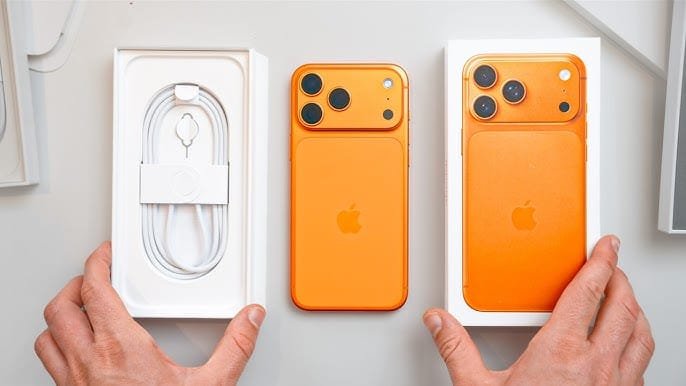
Apple iOS 27

Apple Reportedly Testing ‘Undo’ and ‘Redo’ Features for iOS 27 Home Screen In a development aimed at refining the everyday […]

Gmail Username

Goodbye Cringe: Google Finally Allows Gmail Users to Change Their Usernames In a move that millions of users have awaited […]

Kannur Youth Congress protest

Tensions Boil Over in Kannur: Violent Clash During Youth Congress Protest A volatile situation erupted in Kannur on Wednesday as […]

LSG vs RR IPL 2026

Lucknow and Rajasthan Seek Redemption in Crucial Mid Season Battle The Ekana Stadium braces for a high-stakes collision this Wednesday […]

Thrissur fire Tragedy

Tragedy Strikes Thrissur: Fireworks Blast Claims around 13 Lives A devastating explosion at a fireworks storage facility in the Mundathikode […]

Scroll to Top